
Your shifts, notes and invoices, in one calendar.
Schedule one-off and recurring shifts, see at a glance which ones still need a note or an invoice, and go from any shift to its note or invoice in one tap. Built for independent support workers.


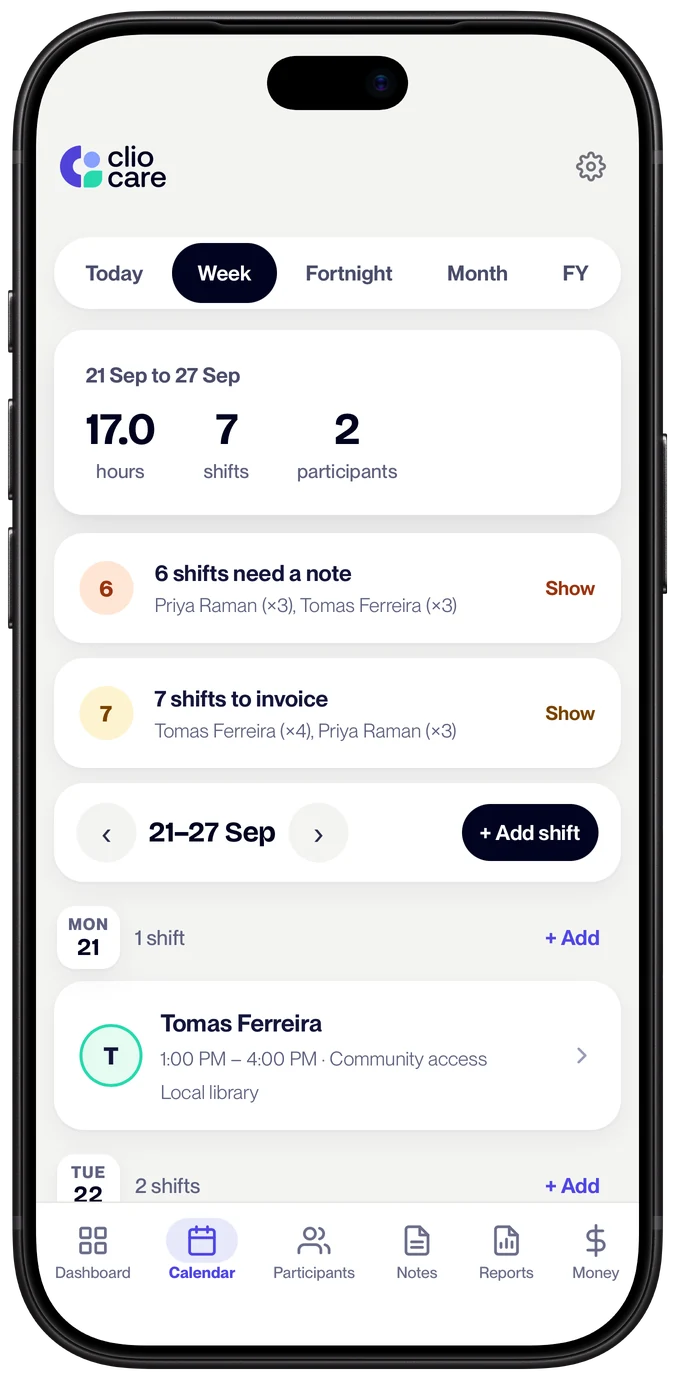
A calendar that knows what happens after the shift.
A normal calendar tells you where to be. It doesn't tell you that Tuesday's shift never got a note, or that last Saturday hasn't been invoiced. That's the part that costs independent workers money and sleep.
Clio's calendar is connected to your notes and your invoices, so every shift ends up documented and paid.
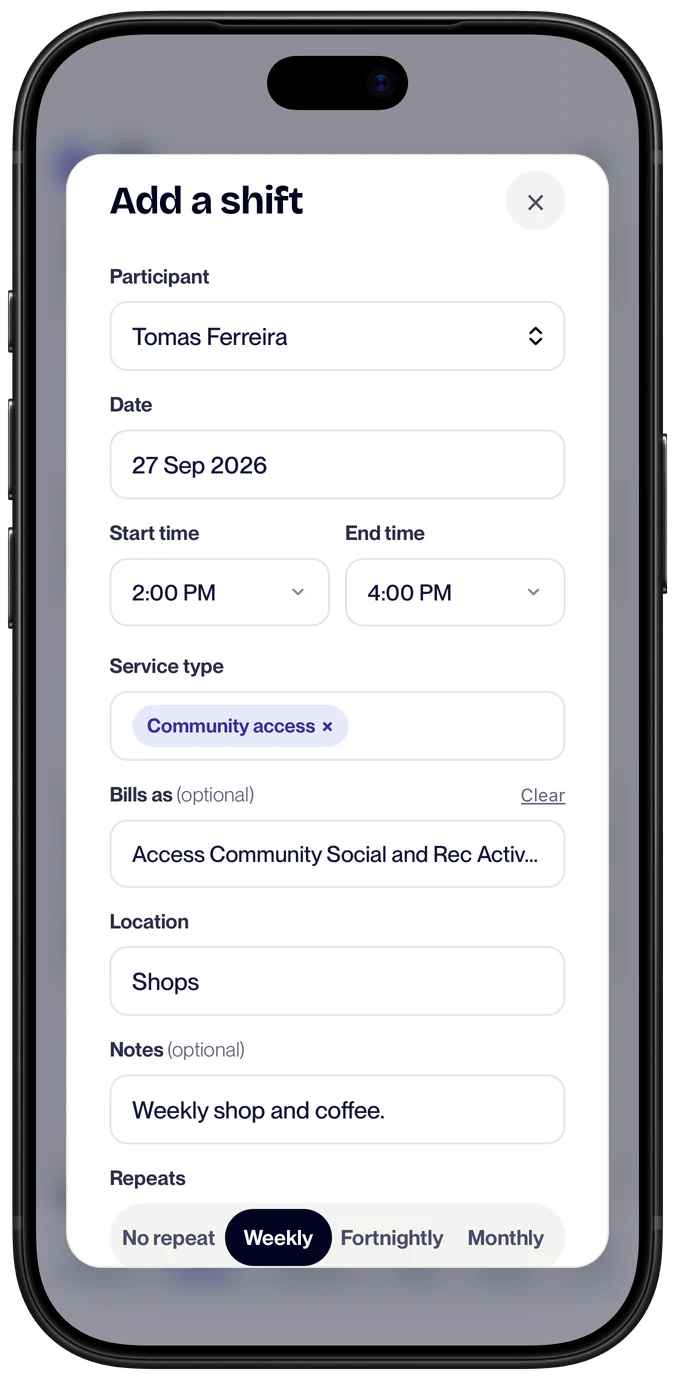
Your regular roster, set up once.
Recurring shifts. Choose weekly, fortnightly or monthly and how many to create, up to 104, and Clio Care adds the whole series in one go.
- Change one or all. Edit or cancel a single shift, or this one and every one after it.
- Overnight shifts. Shifts that end the next day are handled properly.
- Colour-coded by participant. See whose Tuesday and whose Friday at a glance.
- What it bills as. Set a shift's service type, and invoicing uses it to pick the right support item.
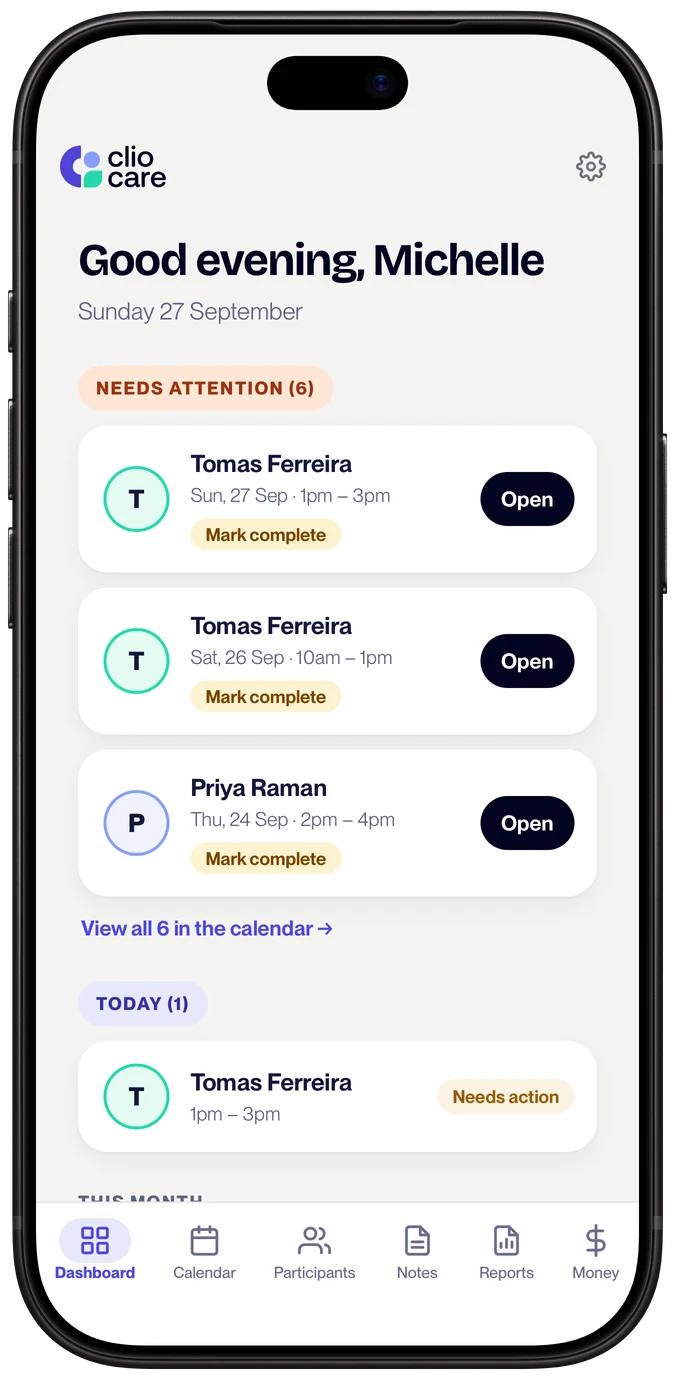
Nothing slips through.
Needs a note. Needs an invoice. Once a shift has finished, Clio Care shows it as needing a note until you write one, and as needing an invoice until you invoice it. Your dashboard keeps a running list.
- Completed, cancelled or no-show. Mark what happened with one tap. Cancelled shifts stay on record but drop out of your to-do lists.
- Done means done. A shift completes itself when you write its note or invoice it, once its end time has passed.
- Status at a glance. Each shift shows where it's up to, from needing a note to note written and invoiced.
- Today first. The dashboard opens on today's shifts and what needs your attention.
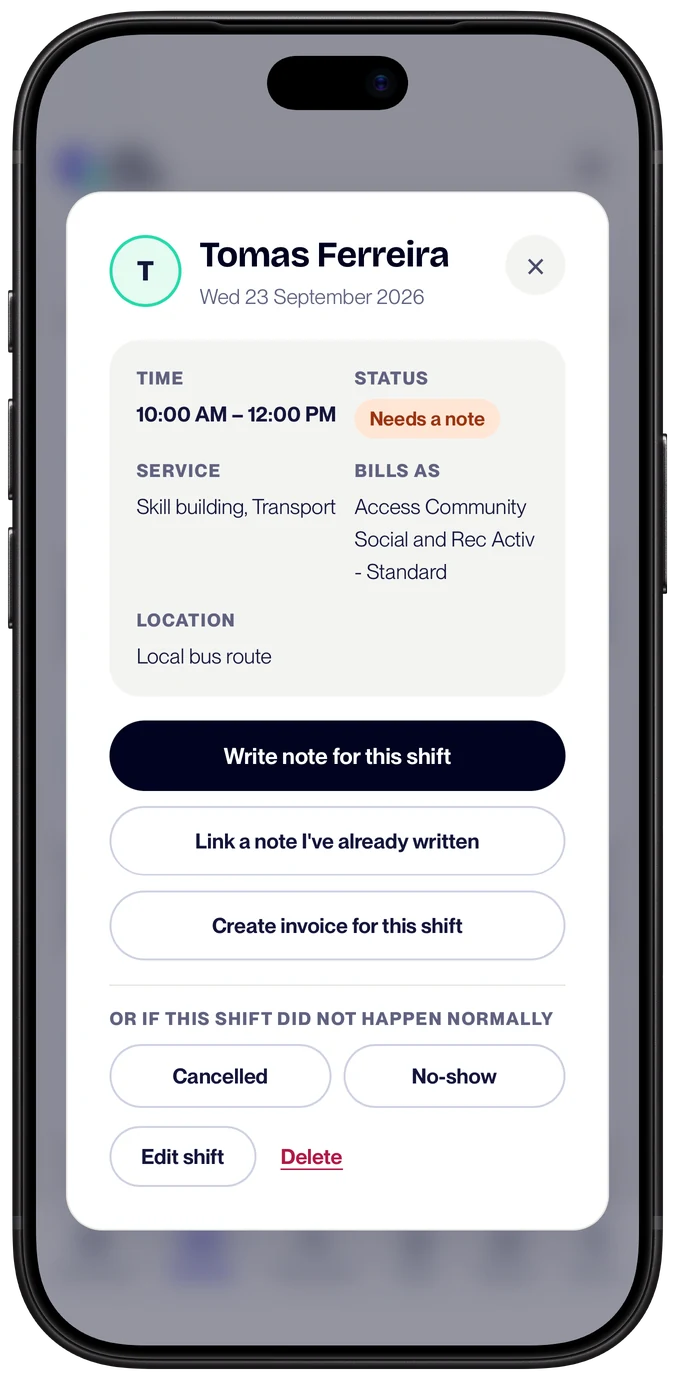
One tap from shift to note to invoice.
Everything linked. Open a shift to write its note, with the participant, date, times and service type already filled in. When the note is signed, invoice the shift from the same place.
- Wrote the note first? Link a note you've already written to its shift afterwards.
- Kept in sync. Change the times on the note and the shift follows.
- Invoiced once. Clio Care remembers which shifts are invoiced, so none get billed twice.
- Find it later. Jump from any shift to its note or its invoice.
A record you can stand behind.
Every shift, note and invoice is linked, so you can show what happened, what was written about it and what was billed. It's the record a plan manager or participant asks for, kept for you as you work.
How AI shift notes workShift scheduling, answered.
Can I create recurring shifts?
Yes. Pick weekly, fortnightly, or monthly, then choose how many shifts to create up front (default 12, up to 104). Clio Care creates the whole series in one go. You can edit or cancel just one shift, or the whole series.
What happens when a shift ends?
Clio Care knows the moment a shift's end time passes. If you haven't written the note yet, it moves to "action needed" so you don't lose track. When you write the note, the shift auto-completes. When you invoice it, same thing. No manual ticking.
Does the calendar link to my notes and invoices?
Yes. Write a note from a shift and the times, date, and service type stay in sync if you edit them on the note. Invoice a shift and Clio Care remembers, so you don't accidentally invoice it twice. The forward-link works both ways for shifts and invoices created from scratch too.
What if a shift gets cancelled?
Mark it cancelled or no-show with one tap. Cancelled shifts stay visible in the calendar (so you have a record) but render in grey and don't count toward your hours, notes-due, or invoices-due totals.
Can I see multiple participants on the same view?
Yes. Every shift in the calendar grid is colour-coded by participant, so you can scan your week and see whose Tuesday, whose Friday, at a glance. No filtering or toggling needed.
Can I schedule overnight shifts?
Yes. Set an end time after midnight and Clio Care records the shift as ending the next day.
Is it just a calendar, or more?
More. The calendar is one of six tools that come with every Clio Care account: case notes, invoicing, expenses, reports, tax summary, and the shift calendar itself. Everything links together. No second subscription.
Your week, sorted before it starts.
Try Clio Care free for 30 days, then $15 a month for 1 participant or $29 a month for unlimited participants, with every feature in both. No card to start, cancel anytime.